"Here's all about top 5 Coders/Programmers in this world, read about them, learn from them & inspire yourself from their story"
1. Dennis Ritchie
Dennis Ritchie
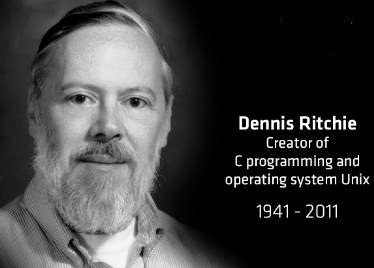
Dennis Ritchie (1941-2011) was an American Computer Programmer. Sir. Ritchie developed "C" programming language and co-developer of Unix Operating system. Dennis Ritchie worked for Alcatel-Lucent and for Bell labs.
· Dennis Ritchie changed digital era by creating "C" programming language. Lisp, Visual Basic, Pascal,COBOL, Turbo pascal 7.0, PL/1, ADA, these are the programming languages are written in C programming language.
· "C" is a best programming language for newbie programmers, who are interested in learning codes.
· Dennis Ritchie and his colleague Ken Thompson
received the Turing award for implementing and developing UNIX
operating system in the year 1983.
2. Mark ZuckerbergMark Zuckerberg

· Mark Zuckerberg created Facebook.com when he was 20 years old, Mark and his Harward university friends helped to build Facebook. When Facebook started it was only available for Hardward students
· Facebook website is mainly written in C++ and PHP programming language. Mark is very passionate about programming and
codes, In his early age he created a messenger called "Zucknet" that
allowed to chat with all computers.
· In 2003 Mark created Facemash, the website is all about comparing
two Harward university students side by side "Hot or Not" contest.
· Some developers re-created Facemash - http://facemash.com.au
· In last year Mark Zuckerberg earned more than $2 billion worth
stock. And worth $15B according to report of usnews.
3. Steve Wozniak
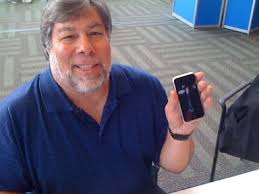
· The Brain behind Apple Inc. - Steve Wozniak is an Computer scientist and Programmer. SteveWoz is well known for developing Apple-1 and Apple-2 :
· In early 1976 Woz and Jobs developed a Hardware ,CircuitBoard design and Operating system for Apple- 1 . Apple 1 priced around $666, And sold 50 system boards to Paul Terrell (Computer shop owner) . After Apple-1, Woz developed first Color graphics personal computer with Integer BASIC programming language and they named it as a Apple-2. For sometime Steve Wozniak was teaching elementary school students about computer. In 2006 Steve Woz published his autobiography iWoz: From Computer Geek to Cult Icon. Now Steve Woz is working for Fusion-io as a Chief Scientist.
4. Bill Gates
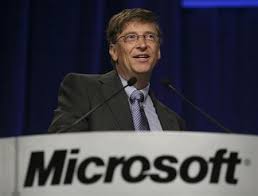
Bill Gates: Founder of world's largest software company Microsoft. And also Co-chairman of Gates Foundation. Bill gates is one of the world's richest man in he world. Bill started working with computer when he was 13 years old.
· When he was 17 Bill Gates formeda company called Traf-o-data. And In the age of 20 Bill Gates founded Microsoft Inc.
· Bill Gates also created MS-DOS Operating system
and Windows OS. Currently Microsoft is one of the valuable company in the world. In 2012 Microsoft earns $73.72 Billion.
5. Linus Torvalds
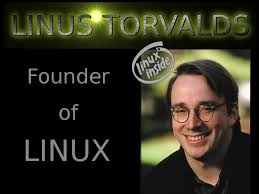
· Linus Torvalds is a software engineer, hacker and project coordinator. In 1991 Linus Torvalds released Linux 0.11 which is written in C programming language.
· Linux supports more than 20+ platforms and Linux is a free and open source operating system, Open source means that you can get the source code of the operating system for free.
The Top 5 Programmers lists ends here according to our Blog Team but there are thousands of best programmers are there Larry page, Brin sergy, Bjarne Stroustrup.
- See more at: http://techinfo1920.blogspot.in/2013/08/top-5-computerprogrammers-in-world.html#sthash.FV1WP3u6.dpuf
1. Dennis Ritchie
1. Dennis RitchiePasswords are generally stored in fire fox in a encrypted form in their database…
Now lets learn how a hacker could decrypt these passwords…
Steps:
First download Fire Password Viewer Download FirePasswordViewer
Install Fire Password Viewer
Click On Start Recovery Button:
Computer tips and tricks as well as software, hardware, internet that help make you more productive and your overall computer experience a lot more enjoyable. Computer tips and tricks, tricks,computer tips, computer, tips, information, listing, tip, computer tip, about, windows, internet, internet, ticks, explorer, Microsoft
Now u will see a list of stored user names and passwords:
Click on Save As HTML Button And save with any file name..
Computer tips and tricks as well as software, hardware, internet that help make you more productive and your overall computer experience a lot more enjoyable. Computer tips and tricks, tricks,computer tips, computer, tips, information, listing, tip, computer tip, about, windows, internet, internet, ticks, explorer, Microsoft
Close the application:
Go to My Documents(Itz the default folder where files is saved as default)
Click the file u have created previously
U will find all ur passwords and usernames there in the file:
Now let us find some methords to defend it:
Using a Master Password:
Master password helps to protect our data using a password:
How to set Master Password in FireFox?:
Open Firefox
Go To Tools
Options—->Security
Check Use a Master Password
Enter new Password
Computer tips and tricks as well as software, hardware, internet that help make you more productive and your overall computer experience a lot more enjoyable. Computer tips and tricks, tricks,computer tips, computer, tips, information, listing, tip, computer tip, about, windows, internet, internet, ticks, explorer, Microsoft
Press Enter And u r Done!! - See more at: http://techinfo1920.blogspot.in/2013/09/hack-passwords-stored-in-firefox-browser.html#sthash.wd66RxEd.dpuf
"Here's
all about top 5 Coders/Programmers in this world, read about them,
learn from them & inspire yourself from their story" - See more at:
http://techinfo1920.blogspot.in/2013/08/top-5-computerprogrammers-in-world.html#sthash.FV1WP3u6.dpuf
"Here's
all about top 5 Coders/Programmers in this world, read about them,
learn from them & inspire yourself from their story" - See more at:
http://techinfo1920.blogspot.in/2013/08/top-5-computerprogrammers-in-world.html#sthash.FV1WP3u6.dpuf
"Here's
all about top 5 Coders/Programmers in this world, read about them,
learn from them & inspire yourself from their story" - See more at:
http://techinfo1920.blogspot.in/2013/08/top-5-computerprogrammers-in-world.html#sthash.FV1WP3u6.dpuf
"Here's
all about top 5 Coders/Programmers in this world, read about them,
learn from them & inspire yourself from their story" - See more at:
http://techinfo1920.blogspot.in/2013/08/top-5-computerprogrammers-in-world.html#sthash.FV1WP3u6.dpuf
"Here's
all about top 5 Coders/Programmers in this world, read about them,
learn from them & inspire yourself from their story" - See more at:
http://techinfo1920.blogspot.in/2013/08/top-5-computerprogrammers-in-world.html#sthash.FV1WP3u6.dpuf
"Here's
all about top 5 Coders/Programmers in this world, read about them,
learn from them & inspire yourself from their story" - See more at:
http://techinfo1920.blogspot.in/2013/08/top-5-computerprogrammers-in-world.html#sthash.FV1WP3u6.dpuf
"Here's
all about top 5 Coders/Programmers in this world, read about them,
learn from them & inspire yourself from their story" - See more at:
http://techinfo1920.blogspot.in/2013/08/top-5-computerprogrammers-in-world.html#sthash.FV1WP3u6.dpuf
"Here's
all about top 5 Coders/Programmers in this world, read about them,
learn from them & inspire yourself from their story" - See more at:
http://techinfo1920.blogspot.in/2013/08/top-5-computerprogrammers-in-world.html#sthash.FV1WP3u6.dpuf
"Here's
all about top 5 Coders/Programmers in this world, read about them,
learn from them & inspire yourself from their story"
1. Dennis Ritchie
 |
| Dennis Ritchie-Top 5 Programmers in the world |
·
Dennis Ritchie
(1941-2011) was an American Computer Programmer. Sir. Ritchie developed "C"
programming language and co-developer of Unix Operating system. Dennis Ritchie
worked for Alcatel-Lucent and for Bell
labs.
·
Dennis Ritchie
changed digital era by creating "C" programming language. Lisp,
Visual Basic, Pascal,COBOL, Turbo pascal 7.0, PL/1, ADA, these are the programming
languages are written in C programming language.
·
"C" is a best programming language for newbie
programmers, who are interested in
learning codes.
·
Dennis Ritchie and his colleague Ken Thompson
received the Turing award for implementing and
developing UNIX
operating system in the year 1983.
2. Mark Zuckerberg
|
| Mark Zuckerberg-Top 5 Programmers in the world |
·
Mark Zuckerberg
created Facebook.com
when he was 20 years old, Mark and his Harward university friends helped to
build Facebook. When Facebook started it was only available for Hardward
students
·
Facebook website is mainly written in C++ and PHP
programming language. Mark is very passionate
about programming and
codes, In his early age he created a messenger
called "Zucknet" that
allowed to chat with all computers.
·
In 2003 Mark created
Facemash, the website is all about comparing
two Harward university students side by side
"Hot or Not" contest.
·
In last year Mark
Zuckerberg earned more than $2 billion worth
stock. And worth $15B according to report of
usnews.
3. Steve Wozniak
|
| Steve Wozniak-Top 5 Programmers in the world |
· The Brain behind
Apple Inc. - Steve
Wozniak is an Computer scientist and Programmer. SteveWoz is well known for
developing Apple-1 and Apple-2 :
· In early 1976 Woz and Jobs developed a Hardware
,CircuitBoard design and Operating system for Apple- 1 . Apple 1 priced around
$666, And sold 50 system boards to Paul Terrell (Computer shop owner) . After Apple-1, Woz developed first Color graphics personal computer with Integer BASIC programming language and they named it as a Apple-2. For sometime Steve Wozniak was teaching elementary school students about computer. In 2006 Steve Woz published his autobiography iWoz: From Computer Geek to Cult Icon. Now Steve Woz is working for Fusion-io as a Chief Scientist.
4. Bill Gates
|
| Bill Gates-Top 5 Programmers in the world |
Bill Gates: Founder of world's largest software company Microsoft. And also Co-chairman of Gates Foundation. Bill gates is one of the world's richest man in he world. Bill started working with computer when he was 13 years old.
· When he was 17 Bill Gates formeda company called Traf-o-data. And In
the age of 20 Bill Gates founded Microsoft Inc.
· Bill Gates also created MS-DOS Operating system
and Windows OS. Currently Microsoft is one of the valuable company in the world. In 2012 Microsoft earns $73.72 Billion.
5. Linus Torvalds
|
| Linus Torvalds-Top 5 programmers in the world |
· Linus Torvalds is a software engineer, hacker and project coordinator. In 1991 Linus Torvalds released Linux 0.11 which is written in C programming language.
· Linux supports more than 20+ platforms and
Linux is a free and open source operating
system, Open source means that you can
get the source code of the operating
system for free.
The Top 5 Programmers lists ends
here according to our Blog Team but there
are thousands of best programmers are
there Larry page, Brin sergy, Bjarne
Stroustrup.
- See more at: http://techinfo1920.blogspot.in/2013/08/top-5-computerprogrammers-in-world.html#sthash.FV1WP3u6.dpuf
"Here's
all about top 5 Coders/Programmers in this world, read about them,
learn from them & inspire yourself from their story"
1. Dennis Ritchie
|
| Dennis Ritchie-Top 5 Programmers in the world |
·
Dennis Ritchie
(1941-2011) was an American Computer Programmer. Sir. Ritchie developed "C"
programming language and co-developer of Unix Operating system. Dennis Ritchie
worked for Alcatel-Lucent and for Bell
labs.
·
Dennis Ritchie
changed digital era by creating "C" programming language. Lisp,
Visual Basic, Pascal,COBOL, Turbo pascal 7.0, PL/1, ADA, these are the programming
languages are written in C programming language.
·
"C" is a best programming language for newbie
programmers, who are interested in
learning codes.
·
Dennis Ritchie and his colleague Ken Thompson
received the Turing award for implementing and
developing UNIX
operating system in the year 1983.
2. Mark Zuckerberg
|
| Mark Zuckerberg-Top 5 Programmers in the world |
·
Mark Zuckerberg
created Facebook.com
when he was 20 years old, Mark and his Harward university friends helped to
build Facebook. When Facebook started it was only available for Hardward
students
·
Facebook website is mainly written in C++ and PHP
programming language. Mark is very passionate
about programming and
codes, In his early age he created a messenger
called "Zucknet" that
allowed to chat with all computers.
·
In 2003 Mark created
Facemash, the website is all about comparing
two Harward university students side by side
"Hot or Not" contest.
·
In last year Mark
Zuckerberg earned more than $2 billion worth
stock. And worth $15B according to report of
usnews.
3. Steve Wozniak
|
| Steve Wozniak-Top 5 Programmers in the world |
· The Brain behind
Apple Inc. - Steve
Wozniak is an Computer scientist and Programmer. SteveWoz is well known for
developing Apple-1 and Apple-2 :
· In early 1976 Woz and Jobs developed a Hardware
,CircuitBoard design and Operating system for Apple- 1 . Apple 1 priced around
$666, And sold 50 system boards to Paul Terrell (Computer shop owner) . After Apple-1, Woz developed first Color graphics personal computer with Integer BASIC programming language and they named it as a Apple-2. For sometime Steve Wozniak was teaching elementary school students about computer. In 2006 Steve Woz published his autobiography iWoz: From Computer Geek to Cult Icon. Now Steve Woz is working for Fusion-io as a Chief Scientist.
4. Bill Gates
|
| Bill Gates-Top 5 Programmers in the world |
Bill Gates: Founder of world's largest software company Microsoft. And also Co-chairman of Gates Foundation. Bill gates is one of the world's richest man in he world. Bill started working with computer when he was 13 years old.
· When he was 17 Bill Gates formeda company called Traf-o-data. And In
the age of 20 Bill Gates founded Microsoft Inc.
· Bill Gates also created MS-DOS Operating system
and Windows OS. Currently Microsoft is one of the valuable company in the world. In 2012 Microsoft earns $73.72 Billion.
5. Linus Torvalds
|
| Linus Torvalds-Top 5 programmers in the world |
· Linus Torvalds is a software engineer, hacker and project coordinator. In 1991 Linus Torvalds released Linux 0.11 which is written in C programming language.
· Linux supports more than 20+ platforms and
Linux is a free and open source operating
system, Open source means that you can
get the source code of the operating
system for free.
The Top 5 Programmers lists ends
here according to our Blog Team but there
are thousands of best programmers are
there Larry page, Brin sergy, Bjarne
Stroustrup.
- See more at: http://techinfo1920.blogspot.in/2013/08/top-5-computerprogrammers-in-world.html#sthash.FV1WP3u6.dpuf